 How-to
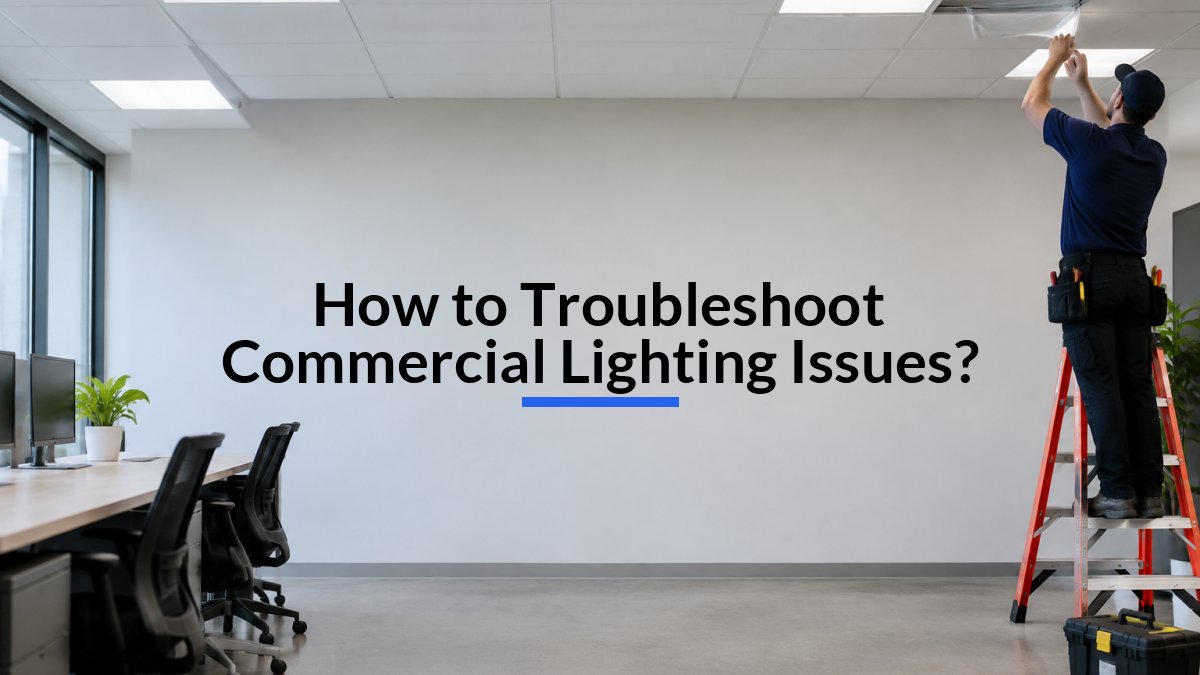
How to Troubleshoot Commercial Lighting Issues?
Last Updated: November 4, 2026
Quick Summary
Troubleshoot commercial lighting issues by turning off power at the breaker, then checking the panel, circuit load, and junction boxes before testing fixtures. Most failures trace back to wear, electrical faults, or inconsistent maintenance. Flicker often points to a dimmer that does not match the LED driver, while a dead fixture usually needs its driver checked before the LEDs are replaced.
- Turn off power at the breaker and confirm it is dead with a tester before working on fixtures.
- Check whether the problem affects one fixture, one zone, or the whole floor before testing.
- Standard dimmers built for incandescent bulbs often cause LED fixtures to flicker or buzz.
- When a fixture is dead, confirm input and output voltage at the driver before replacing LEDs.
- Clean lenses and reflectors every 6 to 12 months in office and retail interiors.
Table of Contents
- Start With a Safe, Systematic Diagnosis
- Commercial Lighting Troubleshooting: Checking Power, Breakers and Circuits
- Commercial Lighting Flickering: Dimmer Mismatch, Loose Connections and Voltage Swings
- LED Driver Troubleshooting: Telling a Bad Driver From a Bad Bulb or Wiring Fault
- Uneven and Dim Output: Lenses, Fixture Age and Nearby Comparisons
- Commercial Lighting Maintenance Checklist for Ongoing Reliability
- Deciding When to Call a Licensed Electrician and Booking Your Service With Mister Volts
- Frequently Asked Questions
Start With a Safe, Systematic Diagnosis
Commercial lighting issues rarely fix themselves, and guessing wastes time. A methodical check usually finds the cause faster than replacing fixtures at random. Most failures trace back to wear, electrical faults, or inconsistent maintenance, according to Action Services Group's analysis of common commercial lighting system failures.
Before you touch anything, turn off power at the breaker and confirm it is dead with a tester. Never work on energized fixtures.
A simple order helps:
- Check whether the problem affects one fixture, one zone, or the whole floor
- Compare the failed fixture with nearby working ones
- Note the symptom: no light, flickering, or uneven output
- Work from the power source outward toward the fixture
Watch out: Dimmer and driver problems can affect hundreds of fixtures on one circuit. Testing one fixture alone may hide a system-wide cause.
Commercial Lighting Troubleshooting: Checking Power, Breakers and Circuits
Start with the breaker panel. A tripped breaker or a loose connection at the panel explains many dead zones. Reset the breaker once. If it trips again, the circuit has a fault that needs a licensed electrician, who can inspect the panel and the circuit breakers feeding the lighting load.
Next, check the wiring path. Look at junction boxes and splice points for loose wire nuts, burn marks, or moisture. Elecstroman Contractors' guide to troubleshooting commercial lighting failures recommends this same sequence: panel, load, then connections.
Here is a quick summary of the first checks:
| Check | What You Look For | Likely Problem |
|---|---|---|
| Breaker panel | Tripped or hot breaker | Overload or short |
| Circuit load | Too many fixtures on one line | Overloaded circuit |
| Junction boxes | Loose, scorched, or wet connections | Wiring fault |
| Fixture | Dead or dim after power is restored | Driver or LED failure |
Commercial Lighting Flickering: Dimmer Mismatch, Loose Connections and Voltage Swings
Flicker is one of the most common complaints among commercial lighting issues. A dimmer that does not match the LED driver is a frequent cause. Standard dimmers built for incandescent bulbs often cause LED fixtures to flicker or buzz (Flicker Basics).

Loose connections cause flicker too. Tighten terminals and check for heat damage. Voltage swings on the circuit can also make lights pulse, so note whether flicker happens when large equipment starts.
Flicker can also come from radio-frequency interference, so test whether the flicker follows a switch or a nearby machine.
LED Driver Troubleshooting: Telling a Bad Driver From a Bad Bulb or Wiring Fault
The driver is the power supply for an LED fixture. When a fixture is dead, check the driver before replacing the LEDs. Look for a burnt smell, a bulging case, or a missing output reading at the driver leads.
A simple test order:
- Confirm input voltage at the driver
- Confirm output voltage to the LED module
- Check the LED module itself
- Replace only the part that fails
Aging drivers are a common failure source, so a driver near the end of its life is a strong suspect.
Uneven and Dim Output: Lenses, Fixture Age and Nearby Comparisons
"Dim" and "uneven" are different problems, and treating them as one wastes time. Dim output means the whole area is below the intended light level. Uneven output means the average is fine but the distribution has hot spots and dark pockets. The fix for each is different, so diagnose before replacing anything.
Start by measuring instead of eyeballing. A handheld light meter reading at the work plane, typically 30 inches above the floor for desk and task areas, or at shelf-face height in a warehouse, gives you a number you can compare against the design target.
Separate the causes in this order:
- Dirty or yellowed optics: clean the lens and reflector first, since it costs nothing and can recover a surprising share of output. Yellowed polycarbonate lenses cannot be cleaned back to clarity and need replacement.
- Lumen depreciation: LED packages and drivers lose output over years of operation. If every fixture in a zone reads similarly low, the fixtures are aging rather than failing, and the answer is relamping or replacement, not repair.
- Driver degradation: a failing driver can underdrive its LED module, producing dim output without a full failure. Compare driver output voltage against the fixture's rating.
- Layout and spacing: if the average level is acceptable but coverage is patchy, the issue is mounting height, spacing, or beam distribution rather than the fixtures themselves. High-bay fixtures spaced too far apart produce exactly this pattern.
- Voltage drop: long circuit runs and undersized conductors can leave fixtures at the end of a run dimmer than those near the panel. Compare readings at the first and last fixture on a circuit.
Uniformity matters as much as average level. A space can hit its target average foot-candles and still feel badly lit if the ratio between the brightest and dimmest areas is too wide. When you measure, take readings at several points across the space, not just under one fixture, so you can see whether the problem is overall level or distribution.
Watch out: A single dim fixture surrounded by bright ones is usually a driver or connection fault, while a whole zone reading low is usually depreciation, voltage drop, or a control setting, misreading which pattern you have leads to replacing the wrong parts.
If measurements show the space is uniformly below target and the fixtures are near end of life, the honest answer may be a lighting upgrade rather than a repair. Comparing a failed fixture with working ones, as maintenance guides recommend, tells you whether you have an outlier or a system-wide condition.
Commercial Lighting Maintenance Checklist for Ongoing Reliability
Most commercial lighting guides stop at design and installation. The operational reality is that fixtures lose output every year they stay in service, and a maintenance plan is what keeps a space at its designed light level instead of drifting into chronic complaints. Lumen depreciation is the slow loss of light output from LED packages, driver aging, and dirty optics; it is not a failure, so it never triggers a service call on its own. That is why planned maintenance beats reactive repair.
Set intervals by environment rather than applying one schedule everywhere:
- Office and retail interiors: clean lenses and reflectors every 6 to 12 months; inspect drivers and terminations annually.
- Warehouse and industrial space: clean every 3 to 6 months because dust settles on high-bay optics; inspect mounting hardware and safety chains at the same visit.
- Food service, cold storage, and washdown areas: clean quarterly and check gaskets and seals for moisture intrusion, which is a leading cause of premature driver failure.
- Parking structures and exterior areas: clean twice a year and check photocells and timers before each seasonal change.
A quarterly walk-through should cover:
- Clean lenses and reflectors with a non-abrasive cleaner approved for the lens material
- Tighten terminals at panels and junction boxes and look for heat discoloration
- Confirm dimmer and control compatibility with the installed LED drivers
- Check for moisture, corrosion, or heat damage inside fixtures
- Verify emergency and egress fixtures operate on battery backup
- Log which fixtures fail, on which circuit, and how often
The log is the most valuable part of the program. A common pattern is one circuit or one fixture family failing repeatedly; that points to a systemic cause such as an undersized circuit, a bad batch of drivers, or a control setting that is cycling fixtures harder than intended. Grouping replacements also cuts labor: replacing aging drivers across a zone in one visit usually costs less than dispatching a technician fixture by fixture.
Watch out: Cleaning a lens with the wrong solvent can craze polycarbonate optics and permanently reduce output, so confirm the cleaner is compatible before wiping down a whole floor.
Budget the program as lifecycle cost, not as emergency repair, since planned cleaning and driver replacement help protect the foot-candle levels the space was designed around.
Deciding When to Call a Licensed Electrician and Booking Your Service With Mister Volts
Call a licensed electrician when a breaker trips repeatedly, when you smell burning, or when a fault affects a whole zone. Those signs point to wiring or load problems that are unsafe to work on yourself. If the cause is tied to the building's supply, a technician may also need to check the service panel and the electrical meter.
Mister Volts provides commercial electrical services, including lighting repair and maintenance, for businesses in the Macon and Perry area. Our licensed electricians can diagnose the cause and provide a quote. For a quote or to schedule service, visit contact us for a quote.
Frequently Asked Questions
Why are the lights in my commercial building flickering?
Flickering in commercial buildings usually comes from one of three sources: a dimmer or control device that is incompatible with the LED drivers, a loose wire or connection at a fixture, junction box or splice point, or voltage fluctuations on the circuit. Start by checking whether flickering affects one fixture or a whole zone. A single fixture points to that fixture's driver or wiring. Many fixtures on one circuit point to the shared circuit, the breaker or the dimmer. Because loose connections and overheating can create fire hazards, turn off power at the breaker before opening any fixture, and call a licensed electrician if the problem persists.
How do you troubleshoot commercial LED lights that are not working?
Begin with the power supply. Confirm the breaker is on, the switch or control is sending power, and the circuit voltage is present at the fixture. If power arrives, check the LED driver for signs of failure, such as a burnt smell, discoloration or no output voltage. Next, inspect the wiring connections, junction boxes and splice points for loose or damaged conductors. Compare the failed fixture with nearby working fixtures on the same circuit. If the others work, the fault is local. If none work, the problem is likely upstream in the circuit or panel.
How can I tell whether a lighting problem is caused by a bulb, driver, or wiring?
Compare the symptom across fixtures. If several fixtures on the same circuit fail together, suspect wiring, a breaker or a shared control. If only one fixture fails, check its driver and connections before the LED array. For LED fixtures, the driver is the most common failure point, so confirm it has output voltage before replacing any light source. Replacing an LED module that is not the problem wastes money. Keep a record of which fixtures have failed and when, because repeated failures in the same area often point to a wiring or driver compatibility issue.
When should I call a licensed electrician for a commercial lighting issue?
Call a licensed electrician if the breaker trips repeatedly, you see scorched or discolored wiring, fixtures are hot to the touch, or problems affect multiple zones at once. Also call a professional if a dimmer incompatibility may require re-installing many fixtures, since a systemic fault can be expensive to fix by trial and error. Mister Volts provides commercial electrical diagnosis, repair and maintenance services in Macon, Perry and the surrounding Georgia area. For current pricing or to schedule a visit, contact Mister Volts through its website at https://mistervoltsusa.com/contact.