 How-to
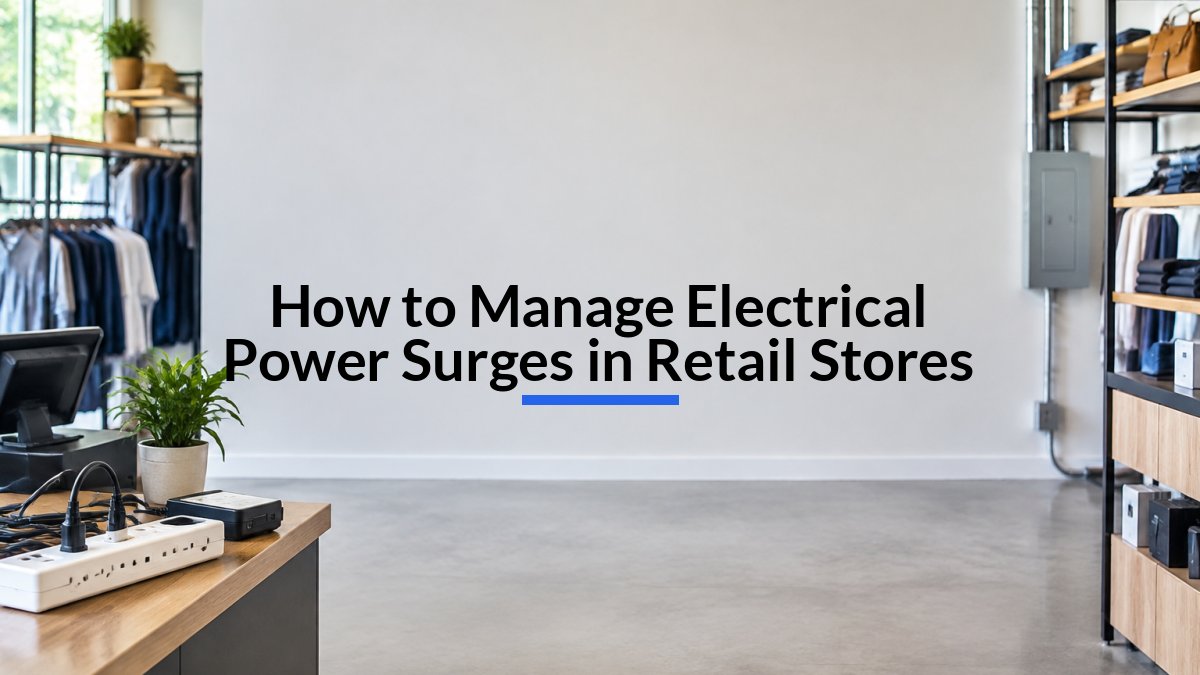
How to Manage Electrical Power Surges in Retail Stores
Last Updated: November 12, 2026
Quick Summary
Power surges retail stores face come from outside sources like lightning and utility switching, and from inside sources like compressors and HVAC starting and stopping. Effective protection works in layers: a surge protective device at the main panel, branch-panel protection for key zones, point-of-use protectors, and data-line protection. Regular inspection keeps these layers working.
- Surges come from external sources like lightning and utility switching, and internal sources like compressors starting.
- Start your assessment by mapping each sensitive system to its feeding circuit and business impact.
- Install a surge protective device at the service entrance to protect the whole facility.
- Protect network, phone, and coax lines, because surges can bypass power-side protection.
- Check surge protector indicators monthly and have a licensed electrician test the system annually.
Table of Contents
- Why Power Surges Matter for Retail Operations
- Power Surge Causes in Commercial Buildings
- How to Assess Surge Risk in Your Store
- Commercial Power Surge Protection: Layers That Work Together
- Retail Electrical Safety Checklist
- Power Outage Preparedness Checklist for Businesses
- Scheduling Your Store's Surge Protection Review with Mister Volts
- Frequently Asked Questions
Why Power Surges Matter for Retail Operations
A power surge is a brief spike in voltage that can damage electronics, equipment, and wiring, and it is one of the most common threats to power surges retail stores face. In a retail store, that spike can knock out a point-of-sale system, freeze card readers, or destroy a refrigeration compressor. The loss is often more than the broken part. Lost sales, spoiled inventory, and closed doors add up fast.
Retail stores depend on many sensitive devices running at once. Registers, network routers, security cameras, lighting controls, and cold cases all draw power from the same building system. When one surge hits, several of these devices can fail together.
Managing surge risk is not about buying one gadget. It is about understanding where surges come from, checking your own building, and building protection in layers for power surges retail operations. The steps below walk through that process.
Power Surge Causes in Commercial Buildings
Surges usually come from two places: outside the building and inside it. Knowing which one you face helps you choose the right protection.
External Sources: Lightning and Utility Switching
Lightning is the most dramatic cause. A strike near a power line can send a large surge into the building's service. Utility switching is more common. When the utility reroutes power after a fault or maintenance, the voltage can jump briefly.
External surges enter through the service entrance. That is why protection at the main panel matters, not just at the plug. If your store has an older service panel that is undersized or lacks room for new protective hardware, that is worth addressing before adding protection.
Internal Sources: Equipment Starting and Stopping
Many surges start inside the building. Large motors, compressors, HVAC units, and elevators create a spike each time they switch on or off. Walk-in coolers and ice machines are common culprits in stores.
These internal surges happen every day, which makes them a steady source of wear on equipment. Over time, they can shorten the life of sensitive electronics even when no single event causes obvious damage.
How to Assess Surge Risk in Your Store
A retail surge risk assessment should map every sensitive system to the circuit that feeds it and to the business loss if it fails. Generic checklists miss this.
Start by walking the store with a clipboard and listing equipment by zone. For each item, record what circuit or panel feeds it, whether it sits on a dedicated circuit, and what happens to sales if it goes down.
Front end and point of sale. Registers, card readers, signature pads, receipt printers, and the POS server or network switch are the highest-priority group. A surge that takes out the POS server can stop every lane, not just one.
Refrigeration and cold storage. Walk-in coolers, reach-in cases, ice machines, and display cases rely on compressors that both create internal surges when they start and suffer damage from external surges. Record compressor age and whether each unit has its own disconnect.
Lighting and controls. LED drivers, dimming systems, and occupancy sensors are sensitive to voltage spikes and are often on shared circuits with motors. Note any lighting that flickers when a compressor starts; that pattern points to an internal surge path.
Security and communications. Cameras, network video recorders, access-control panels, alarm systems, and the internet router need protection on both power and data lines. A surge that enters through a cable or phone line can bypass power-side protection entirely.
HVAC and large motor loads. Rooftop units, exhaust fans, and elevators create internal surges each time they switch. List them so the electrician can evaluate whether they are contributing to equipment wear elsewhere.
After the walk-through, rank each zone by two scores: likelihood of surge exposure and business impact of failure. Put the front end and refrigeration at the top for most stores. Then check your history.
Finally, note your location and service. Stores near overhead utility lines, in areas with frequent lightning, or near utility work face higher external risk. Stores in older buildings with aging panels face higher risk from wiring and grounding problems.
Keep the finished profile to one page and update it when equipment changes.
Commercial Power Surge Protection: Layers That Work Together
No single device stops every surge. Good protection works in layers, and the layers must be coordinated so each catches what the one before it let through. For a retail store, that means protection at the service entrance, at distribution panels, and at the point of use, plus protection on communications lines.
Surge Protective Devices at the Service Entrance
A surge protective device (SPD) at the main service panel is the first line of defense. It diverts large external surges, such as those from lightning or utility switching, before they spread through the building. Because it sits at the service entrance, it protects the whole facility.
Selection matters. Service-entrance SPDs are rated by surge current capacity and by voltage protection level. A device with higher surge capacity handles larger events but costs more. Have a licensed electrician match the rating to your service size, grounding, and exposure. The device must be installed with short, straight conductors to the panel bus; long or coiled leads raise the let-through voltage and reduce protection.
Panel-Level and Point-of-Use Protection
Branch-panel SPDs protect specific circuits or zones, such as the front-end POS circuit or the refrigeration panel. They are smaller and less costly than service-entrance devices and catch surges that originate inside the building or pass the first layer. Planning new circuits for these zones is easier with a proper electrical design that accounts for dedicated loads from the start.
Point-of-use protectors, such as surge-rated power strips and wall receptacles, guard individual devices. They are useful for registers, routers, and computers. They are not a substitute for building-level protection, and they wear out. Most have an indicator light or audible alarm that signals end of life; replace them when indicated or after a known surge event.
Coordination is the point. A service-entrance SPD handles the bulk of a large surge, a branch SPD reduces what reaches a zone, and a point-of-use device trims the remainder before it reaches sensitive electronics. Without coordination, a single point-of-use strip may absorb energy it was never rated for and fail early.
Protecting Communications and Data Lines
Power is only one path. Surges travel on network cables, phone lines, and coaxial feeds. Protect the POS network, internet router, cameras, and alarm panel with data-line surge protectors at the point where each line enters the equipment. A power-only strategy leaves these paths open.
Inspection, Testing, and Replacement
SPDs are not install-and-forget devices. Most have status indicators that show when they have absorbed their rated capacity. Check indicators monthly and after any known surge or storm. Have a licensed electrician test the system annually and replace devices that show end-of-life status. Keep a log of installations, model numbers, and replacement dates so maintenance is not guesswork. Many stores choose to bundle this work into electrical maintenance contracts so inspections happen on schedule rather than after a failure.
Watch out: installing a service-entrance SPD without verifying the building's grounding and bonding can leave protection ineffective, so have a licensed electrician confirm the grounding path.
The article describes three protection layers that must be coordinated, each catching what the previous layer lets through.
| Layer | Where it sits | Main job |
|---|---|---|
| Service-entrance SPD | Main service panel | Diverts large external surges for the whole facility |
| Branch-panel SPD | Specific circuits or zones | Protects zones such as front-end POS or refrigeration |
| Point-of-use protector | Individual devices | Trims remaining surge before sensitive electronics |
| Data-line protector | Network, phone, and coax entry points | Blocks surges arriving through communications lines |
Retail Electrical Safety Checklist
Use this checklist to review your store's electrical safety on a regular schedule.

- Confirm an SPD is installed at the main panel
- Check that point-of-use protectors are rated and undamaged
- Look for warm outlets, scorch marks, or buzzing panels
- Keep electrical panels clear of stock and boxes
- Test that critical equipment restarts correctly after a power interruption
- Record any unexplained equipment failures for your electrician
Safety reviews are only useful if someone owns them. Assign one manager to run the checklist and report findings.
Power Outage Preparedness Checklist for Businesses
Surges often come with outages, so plan for both. A short preparation list keeps your store running and reduces losses.
- Keep a current list of equipment that needs to be restarted in order
- Store a backup plan for card payments if systems go down
- Know where your main breaker and emergency shutoffs are located
- Keep a contact list for your electrician and utility provider
- Check that your backup lighting and exit signs work
Review this list with your staff at least once a year. Quick action after an outage prevents small problems from becoming expensive ones.
Scheduling Your Store's Surge Protection Review with Mister Volts
A professional review is the fastest way to find gaps in your surge protection. Mister Volts provides commercial electrical services, and our licensed electricians can review your panel and your equipment loads.
If you suspect your panel is aging or undersized, read our guide on when to replace an electrical panel. It lists the warning signs that call for prompt professional attention. For a broader look at upgrades, our electrical system upgrade guide explains when flickering lights and new equipment point to a larger project.
When you are ready to plan a review, explore our full commercial electrical services to see how we support retail and commercial facilities. To schedule a visit or ask questions, start a conversation with our team and we will help you decide the next step.
Mister Volts can help your store reduce surge risk, protect sensitive equipment, and keep operations running. Contact us to schedule your surge protection review today.
Frequently Asked Questions
How can a retail store prevent electrical power surges?
A retail store reduces surge damage by layering protection. Start with a surge protective device at the main service entrance to divert the largest surges, then add point-of-use protection for point-of-sale terminals, network equipment, and refrigeration controls. Keep high-demand equipment such as compressors and HVAC units on dedicated circuits where possible, and schedule periodic inspections so failing protection devices are replaced before they stop working.
Can a power surge damage point-of-sale systems and other retail equipment?
Yes. Point-of-sale terminals, card readers, network switches, and cash drawers contain sensitive electronics that can fail after a surge, even when the damage is not immediately visible. Failures often cause downtime at checkout, which affects sales and customer service. Protecting these devices with a properly rated surge protector and a whole-building surge protective device reduces both repair costs and the risk of interrupted operations.
What is the difference between a surge protector and a whole-building surge protective device?
A plug-in surge protector only protects the equipment connected to it and can wear out after absorbing repeated surges. A whole-building surge protective device is installed at the electrical panel or service entrance and limits surge voltage before it spreads through the building's wiring. Retail stores typically benefit from both: the building-level device handles the largest surges, and point-of-use protectors guard individual sensitive devices.
How often should a retail store inspect its surge protection equipment?
Inspect surge protection equipment on a regular schedule and after any known storm or major outage. Many surge protective devices include status indicators that show whether protection is still active, so check those indicators during routine walkthroughs. Replace any device that shows a failure indicator or has visible damage, and keep a record of inspection dates so the store can show that maintenance was performed.